How to make a SLAX Bootable USB. In the following tutorial we show you how easy it is to create a SLAX Linux bootable USB flash drive from within Windows or Linux with WINE. SLAX is a popular tiny 200MB Linux distribution. It is essentially a stripped down version of Slackware Linux.
Portable SLAX Bootable USB
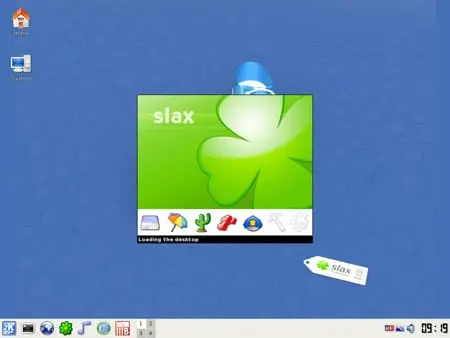
SLAX Specifications
- Distribution Home Page: slax.org
- Developer: Tomas Matejicek
- Minimum Flash Drive Capacity: 256 MB
- Release Date: First released in 2003
- Persistent Feature: Yes
What is SLAX Linux?
SLAX is a lightweight, modular Linux distribution based on Slackware. The name "SLAX" is derived from "Slackware" and "X" (as in the X Window System, a graphical user interface commonly used in Unix like operating systems). SLAX is designed to be run as a live CD or live USB, allowing users to run a fully functional Linux system without installing it on a hard drive.
Its main features include:
- Modularity: It is modular, and users can easily customize the distribution by adding or removing modules. These modules are compressed filesystem images that contain specific software packages or features. This modularity makes SLAX flexible and adaptable to different needs.
- Portability: Designed to be portable and can run from various storage devices like USB flash drives, SD cards, or CD/DVDs. This makes it a useful tool for testing and troubleshooting without making permanent changes to the host system.
- Persistence: Supports persistent changes, allowing users to save their configuration settings and data even when running from a live environment. This is particularly useful for creating a personalized, portable Linux system.
- Slackware Base: Inherits its base system and package management from Slackware, which is known for its simplicity and stability.
Essential to Create a Portable SLAX
- USB drive (A fast SSD thumb drive is recommended)
- SLAX*.iso
- Universal USB Installer
- A Windows PC or Linux with WINE to perform the Install
How to Make a SLAX Bootable USB
SLAX is offered in a compressed tar format for extraction to a USB stick. However, here were going to use the Universal USB Installer to create the bootable USB, so that we can still add other distributions alongside it. Here's how to make a SLAX bootable USB drive:
- Download and then launch the Universal USB Installer
- Select SLAX, and then follow the onscreen UUI instructions.
- Once the script has finished:
(1.) Reboot your computer.
(2.) Access your system BIOS or UEFI using a hotkey during startup.
(3.) Set your BIOS or Boot Menu to boot from the USB device and then save your settings (F10).
(4.) Proceed to boot from your flash drive.
(5.) Select SLAX from the UUI boot menu to start running your Portable SLAX from USB.