No exact matches found in titles, headings, slugs, or excerpts. Showing posts containing your search terms in the content.
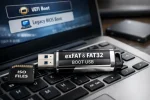
Can you boot from an exFAT USB? Yes, but not directly from a single exFAT partition. To create an exFAT bootable USB flash drive that works in UEFI mode, you must use two partitions: one exFAT partition for storing ISO files and one small FAT32 partition dedicated to booting. A bootloader such as Grub2 is installed to the FAT32 partition, enabling boot support for both UEFI and Legacy BIOS systems.
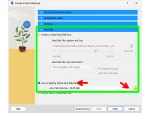
How to Boot a USB flash drive in VirtualBox. In this segment you will learn how to successfully boot a portable operating system from a USB flash drive or removable external hard drive while still running from within a Windows, Linux, or Mac OS X environment using vbox.
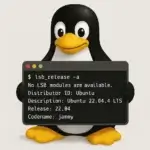
How to easily check Linux version and display installed kernel information. In this post, I walk you through multiple methods to check your Linux operating system (OS) version using simple terminal commands. Whether you're using Ubuntu, Debian, CentOS, Fedora, or any other Linux distribution, these methods will help you identify your OS version quickly. Keep reading to learn how to check your Linux version with commands like lsb_release, cat, and others. Plus, we'll also cover how to find your kernel version and other useful details.
Where to Download Live Linux ISO files? A Live Linux ISO repository list of some of the most popular and widely recognized Live Linux ISO compilations available today. All of which can be converted into a Live Linux Bootable USB flash drive using tools like the YUMI Multiboot USB media creation tool. Each version listed contains direct link to the download page for that version.
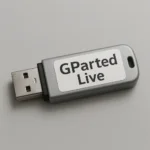
Easily create a bootable GParted Live USB flash drive from Windows using YUMI, or using dd in Linux or on macOS. GParted, a popular graphical partition editor developed by Curtis Gedak, is a powerful open source USB partition tool for managing disk partitions. It allows you to create, resize, delete, and reorganize partitions with ease. Additional features include managing boot flags, formatting drives, cloning partitions, and more.
Install Grub2 on USB from Windows: Need a reliable way to create a USB stick that boots from both BIOS and UEFI? In this guide we will show you how to install the Grub2 bootloader onto a USB flash drive directly from Windows. Using the grub-install.exe utility, you'll prepare a highly compatible bootable USB device.
