
Browse from the Pen Drive Linux Sitemap category sections below and discover the freedom and flexibility of Virtual Machine Emulation, Live Linux and Windows portable operating system computing and the process of booting from USB.
BIOS USB Boot Settings
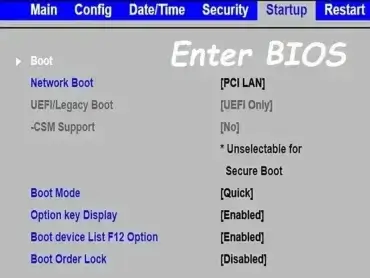 UEFI and BIOS USB boot settings, boot manager, boot menu, and system hardware options for Award, Phoenix, AMI firmware based motherboard BIOSes.
This category covers boot manager access, boot menu key functions, and essential BIOS/UEFI settings for popular firmware types like Phoenix, Award, and AMI. Learn how to configure your system to boot from USB flash drives, external hard disks, or live Linux distributions. Whether you're creating a bootable installer or troubleshooting a system that won’t recognize your USB device, you'll find solutions tailored to both legacy BIOS and modern UEFI systems. Ideal for users working with DIY builds, legacy hardware, or multiboot setups.
UEFI and BIOS USB boot settings, boot manager, boot menu, and system hardware options for Award, Phoenix, AMI firmware based motherboard BIOSes.
This category covers boot manager access, boot menu key functions, and essential BIOS/UEFI settings for popular firmware types like Phoenix, Award, and AMI. Learn how to configure your system to boot from USB flash drives, external hard disks, or live Linux distributions. Whether you're creating a bootable installer or troubleshooting a system that won’t recognize your USB device, you'll find solutions tailored to both legacy BIOS and modern UEFI systems. Ideal for users working with DIY builds, legacy hardware, or multiboot setups.
Bootable USB Creators
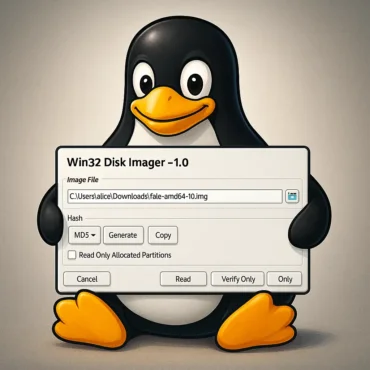 Our pick of the best bootable USB creation software, Windows media creation tools, and software utilities for making Windows and Linux bootable USB boot drives. Multiboot ISO files from one single flash drive. Install Windows 10 from USB, run a portable Live Linux OS, perform system diagnostics, scan for viruses and malware, backup hard drives, and much more; all while leaving no traces behind.
A bootable USB creator is software used to turn a USB flash drive into a bootable device for installing operating systems, running Live Linux environments, or performing system recovery and diagnostics. Below is a curated list of reliable bootable USB creation tools for Windows and Linux, including multiboot utilities that let you boot multiple ISO files from a single USB drive.
Our pick of the best bootable USB creation software, Windows media creation tools, and software utilities for making Windows and Linux bootable USB boot drives. Multiboot ISO files from one single flash drive. Install Windows 10 from USB, run a portable Live Linux OS, perform system diagnostics, scan for viruses and malware, backup hard drives, and much more; all while leaving no traces behind.
A bootable USB creator is software used to turn a USB flash drive into a bootable device for installing operating systems, running Live Linux environments, or performing system recovery and diagnostics. Below is a curated list of reliable bootable USB creation tools for Windows and Linux, including multiboot utilities that let you boot multiple ISO files from a single USB drive.
Create Bootable USB Drives
 How to Create Bootable USB Drives from ISO images for Windows, Linux, and system recovery tools. These Windows, Linux and macOS tutorials show how to make a USB bootable using reliable USB boot software or manually from a command line or terminal, including multiboot options that allow multiple operating systems on a single drive. Learn how to prepare, format, and write ISO files to USB flash drives or external SSDs for fast USB booting on both BIOS and UEFI systems.
Get Started Using Linux
 New to Linux? This beginner friendly guide helps users transition from Windows to Linux with ease. Learn essential Linux commands, desktop setup tips, and configuration techniques for Ubuntu, Linux Mint, Fedora, and more. Perfect for first time users looking to build confidence and customize their new Linux environment.
Linux Boot Commands
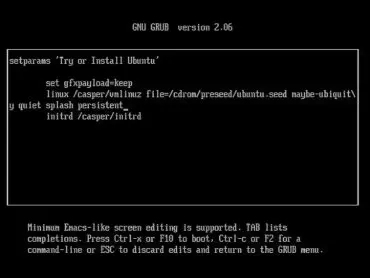 Explore a comprehensive guide to Linux boot commands (also known as cheat codes) for popular distributions like Ubuntu, Debian, Fedora, and Arch. Learn how to use kernel parameters at startup to troubleshoot boot issues, optimize performance, and resolve hardware compatibility problems. Whether you're working with Live USB environments, recovering from boot failures, or customizing system behavior, these commands are essential for power users and system administrators alike.
Virtual Machine Emulation
 Use Virtual Machine Emulation to run Linux on Windows or Windows on Linux using tools like VirtualBox or VMware. Boot a USB in a (VM) Virtual Machine, emulate operating systems on a pendrive, and test software safely.