Bootable USB Creator Software

Looking for the best way to create a bootable USB drive? This category features a curated collection of the most reliable Windows and Linux bootable USB creator software. These Live USB creator tools make it easy to turn ISO files into bootable media, whether you’re installing an operating system, running a portable Live Linux environment, or building a recovery and diagnostic toolkit.

From simple ISO to USB utilities to advanced multiboot solutions, the software listed here can help you boot from USB on almost any PC. New to bootable USB drives? See our full guide to what a bootable USB is and how to create one before picking a tool below.

Featured Live USB Creator Tools

Below you’ll find some of the most popular and trusted Live USB creator tools for making a USB drive bootable on almost any PC. The list includes both single-ISO writers, which write one operating system per drive and are ideal for quick installs, and multiboot USB creators like YUMI, which let you store and boot multiple ISO files – installers, antivirus utilities, and Live Linux distributions – from a single drive.

YUMI Multiboot USB Creator

YUMI Multiboot Bootable USB Drive

YUMI (Your Universal Multiboot Installer) is a popular, open source tool for building a multiboot USB drive: one flash drive that can hold and boot multiple operating systems, Windows installers, Linux distributions, antivirus rescue disks, and recovery utilities, all selectable from a single boot menu.

Which version should you use? YUMI Py is the recommended build - it runs on both Windows and Linux from the same Python codebase and is where active development is focused. YUMI exFAT remains a fully supported, Windows native alternative if you'd rather run the familiar classical NSIS code based interface. Older Legacy and UEFI-only builds are archived, only mentioned for historical reference and are no longer supported.

Universal USB Installer (UUI) Bootable USB Creator

Universal USB Installer

Create a bootable USB drive from an ISO file with Universal USB Installer (UUI). The Universal USB Installer (UUI) is a free bootable USB creator that lets you create bootable USB drives from ISO files with BIOS and UEFI support. Easily create Windows 11 installation media, flash Linux live USB distributions, run portable antivirus software, or build your own multiboot USB toolkit on a single USB flash drive.

Write Image ISO to USB: Win32 Disk Imager

win32 disk imager - image iso to usb

Win32 Disk Imager is a free, open source utility for Windows that writes raw disk image files to USB drives and SD cards. It supports both ISO and IMG formats, making it useful for creating bootable media, backing up removable storage, and duplicating Raspberry Pi SD cards. Whether you are a hobbyist, developer, or sysadmin, it offers a simple and reliable solution for image writing and drive cloning tasks.

Quick summary: Select your image file, choose your target drive, click Write. The tool performs a sector-by-sector copy that results in an exact, bootable replica of the source image. For a full backup, use the Read function in reverse.

Balena Etcher: Burn ISO to USB or Clone USB Drives

balena etcher

Use Balena Etcher to easily burn ISO files to USB or Clone your USB drives. Ever wondered how to burn an ISO file to create a bootable USB drive? Or perhaps you're looking for a simple tool to clone a USB drive? Etcher, a freely available software utility, makes both of these tasks as straightforward as possible for users of all skill levels.

Ventoy Multiboot Bootable USB Maker Tool

Ventoy Boot Menu

Ventoy is a free, open source tool that lets you turn a USB drive into a multiboot device. You don't need to extract or prepare each ISO file-just copy them to your USB stick, and you're good to go. When you power up your computer, Ventoy shows you a menu where you pick which OS or tool to boot.

Here's how it works: Ventoy installs its bootloader onto your USB drive. After that, you just drag and drop your ISO, IMG, WIM, VHD, or EFI files onto the drive. Plug it into a computer, boot from USB, and choose what you want to run. It's fast, easy, and you don't have to reformat your drive every time you want to switch things up.

How to Boot DOS from USB with Rufus

Boot DOS From USB

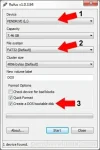
Rufus - easily boot DOS from USB: Creating a bootable USB flash drive to boot DOS from USB can be complicated. However, a tool called Rufus (Reliable USB Format Utility), created by Pete Batard, can make this task relatively simple. This utility can also be used to create a Bootable USB of a given distro from an ISO or image file.

LiveUSB Install - Live USB Creator

LinuxUSB Install

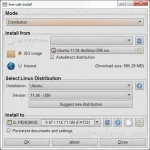
LiveUSB Install is a third party tool used to create Live Linux bootable USB drives. It enables you to transfer a Live Linux distribution of your choice onto a USB flash drive for testing, troubleshooting, or installing Linux systems without modifying your hard drive. You can write an existing ISO, use a CD/DVD as the source, or download a Linux ISO file directly from the internet.

XBOOT Multiboot ISO USB Creator Windows

XBOOT

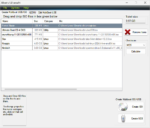
XBOOT is a Windows-based multiboot ISO USB creator that lets you combine multiple Linux distributions, rescue tools, and diagnostic utilities onto a single bootable USB flash drive or multiboot ISO file. Similar to YUMI, it uses a simple drag-and-drop interface and supports both Grub and Syslinux bootloaders.

Quick summary: XBOOT is no longer actively maintained, but it remains a functional option for creating legacy BIOS multiboot USB drives. If you need UEFI support or active development, see the alternatives section below.

SARDU: Multiboot USB Creator

SARDU   Multiboot USB Creator

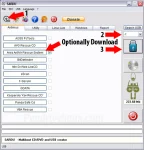
SARDU (Shardana Antivirus Rescue Disk Utility) is a powerful multiboot USB and DVD creation tool for Windows and Linux systems. Designed for IT professionals, system administrators, and tech enthusiasts, it supports multiple Live Linux ISOs, Windows setup installers (Windows 11, 10, 8, 7, XP), antivirus boot utilities, and recovery tools, all from a single USB flash drive.

Linux Live USB Creator (LiLi)

live linux usb creator

Linux Live USB Creator, also known as LiLi USB Creator, is a powerful tool for creating bootable USB flash drives loaded with various Linux distributions. With it, users can easily install different Linux versions to a USB, resulting in a bootable Live USB with optional persistence. LiLi enables users to create a Linux bootable USB flash drive from an ISO image, CD, or IMG file. The utility can even download the ISO or IMG file for you.

UNetbootin | Create a Bootable Live Linux USB

UNetbootin Live USB Creation from an ISO

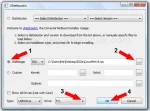
UNetbootin: Create a Linux Bootable USB Quickly and Easily. Short for Universal Netboot Installer, UNetbootin is a lightweight, open source utility used to create bootable Linux USB flash drives from ISO files without requiring a CD or DVD. It remains a simple option for testing or installing many Linux distributions, particularly on legacy BIOS or older UEFI systems.

Create a Fedora Live USB

fedora live usb

Easily Create a Fedora Live USB: This walkthrough tutorial explains how to install and boot Fedora Linux from a USB flash drive from within Windows, Linux, or macOS by using Fedora Media Writer, YUMI Multiboot USB Creator, or the Linux dd command. Fedora is a free and open source Linux distribution sponsored by Red Hat and developed by a global community. It is known for integrating cutting edge technologies while remaining stable, secure, and well suited for developers, system administrators, and Linux enthusiasts who want to run or install Fedora from a bootable USB drive.