
Learn how to enter BIOS or access the boot menu using keyboard hotkeys on any computer. Whether you need to boot from USB, change boot order, or adjust system settings, this guide shows the exact keys for every major manufacturer.
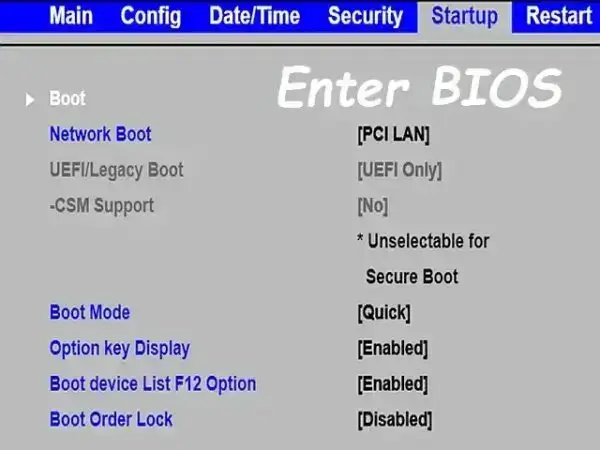
Quick answer: Restart your PC and press F2, DEL, F12, or ESC during startup to enter BIOS or open the boot menu.
What is BIOS and UEFI?
BIOS (Basic Input/Output System) and UEFI are firmware interfaces that start your computer and control hardware settings.
- BIOS: Older systems
- UEFI: Modern systems with faster boot and Secure Boot support
👉 Need to boot from USB? See:
How to Boot from USB (USB Booting Help)
How to Enter BIOS or Boot Menu
- Restart your computer
- As soon as it powers on, press the BIOS key repeatedly
- Enter BIOS setup or open the boot menu
Tip: Start tapping the key immediately after pressing the power button.
Most Common BIOS Keys
- DEL
- F2
- F10
- ESC
If one doesn't work, try another. Timing matters.
BIOS Hotkeys and Boot Menu Keys by Brand
| Manufacturer | BIOS Key | Boot Menu Key |
|---|---|---|
| Acer | F2 | F12 |
| ASUS | F2 | ESC |
| Dell | F2 | F12 |
| HP | ESC / F10 | F9 |
| Lenovo | F2 | F12 |
| MSI | DEL | F11 |
| Gigabyte | DEL | F12 |
| Samsung | F2 | ESC |
| Toshiba | F2 | F12 |
If your system isn't listed, try DEL or F2 first.
Boot Menu vs BIOS (Important Difference)
Boot Menu: Lets you choose a device for one time boot (USB, SSD, etc.)
BIOS Setup: Lets you permanently change boot order and system settings
Tip: Use the boot menu if you only want to boot from USB once.
Can't Enter BIOS? Try These Fixes
- Press the key earlier (timing is critical)
- Tap repeatedly instead of holding
- Disable Fast Boot in Windows
- Use a wired keyboard (some USB keyboards initialize late)
Access BIOS from Windows (UEFI Systems)
On Windows 10 or 11, you can enter UEFI firmware settings without using a key:
- Go to Settings → Recovery
- Select Advanced startup → Restart now
- Choose Troubleshoot → Advanced options → UEFI Firmware Settings
Frequently Asked Questions
What key opens BIOS?
Common keys include DEL, F2, F10, and ESC. It depends on your system manufacturer.
Why can’t I enter BIOS?
You may be pressing the key too late, or Fast Boot may be skipping the prompt.
What is the boot menu key?
Boot menu keys include F12, F11, ESC, or F9 depending on the manufacturer.
Do all computers use the same BIOS key?
No. BIOS keys vary by manufacturer. Use the table above to find yours.
Final Notes
Knowing how to enter BIOS or the boot menu is essential for tasks like installing an operating system, booting from USB, or troubleshooting hardware.