multiboot usb

How to easily create a Multiboot USB

YUMI Multiboot USB Creator
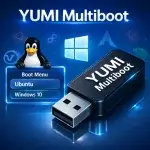
YUMI Multiboot Bootable USB Drive

YUMI (Your Universal Multiboot Installer) is a free and open source multiboot USB creator that lets you store and boot multiple operating systems, Windows installers, Linux distributions, antivirus rescue disks, and recovery utilities from a single USB flash drive.

Unlike traditional bootable USB tools that write one ISO per device, YUMI allows you to add multiple bootable images to the same drive and manage them from a single boot menu. Whether you're creating a portable repair toolkit, testing operating systems, installing Windows, or exploring Live Linux distributions, YUMI makes it easy to keep everything organized on a single multiboot USB drive.

Additional operating systems and tools can be added later without reformatting or rebuilding the drive, making it easy to expand your multiboot toolkit as your needs change.

Ventoy Multiboot Bootable USB Maker Tool

Ventoy Boot Menu

Ventoy is a free, open source tool that lets you turn a USB drive into a multiboot device. You don't need to extract or prepare each ISO file-just copy them to your USB stick, and you're good to go. When you power up your computer, Ventoy shows you a menu where you pick which OS or tool to boot.

Here's how it works: Ventoy installs its bootloader onto your USB drive. After that, you just drag and drop your ISO, IMG, WIM, VHD, or EFI files onto the drive. Plug it into a computer, boot from USB, and choose what you want to run. It's fast, easy, and you don't have to reformat your drive every time you want to switch things up.